
Unveiled! Purpose, Functions, and Mechanism of KuroEditor vol.2
Explaining the development policy, specs, and implementation of KuroEditor. Better than reading: experience it yourself on the test page at the end of the post!
Development Policy
Since this is for KuroCMS, I aim to provide as much versatility as possible while staying true to the core essence. A WYSIWYG editor is a must, built with pure Vanilla JS. It must be exceptionally fast, without any frameworks. I avoided being strictly a headless editor to maintain loose coupling. As long as the caller doesn't specify a @layer, it can maintain a sense of unity by following the caller's button layout—though I won't use that in KuroCMS! lol.
The CSS uses only Tailwind plus internal styles for KuroEditor. The table behavior is similar to Dropbox Paper. For now, even if it's not perfectly polished, as long as the usability isn't significantly compromised, I'll prioritize completion over fine adjustments. After all, it doesn't start until it's finished. I'll release it as long as it's reasonably usable.
Detailed Specifications
Explaining detailed specs in a blog can be tedious, so I'll show you with images.
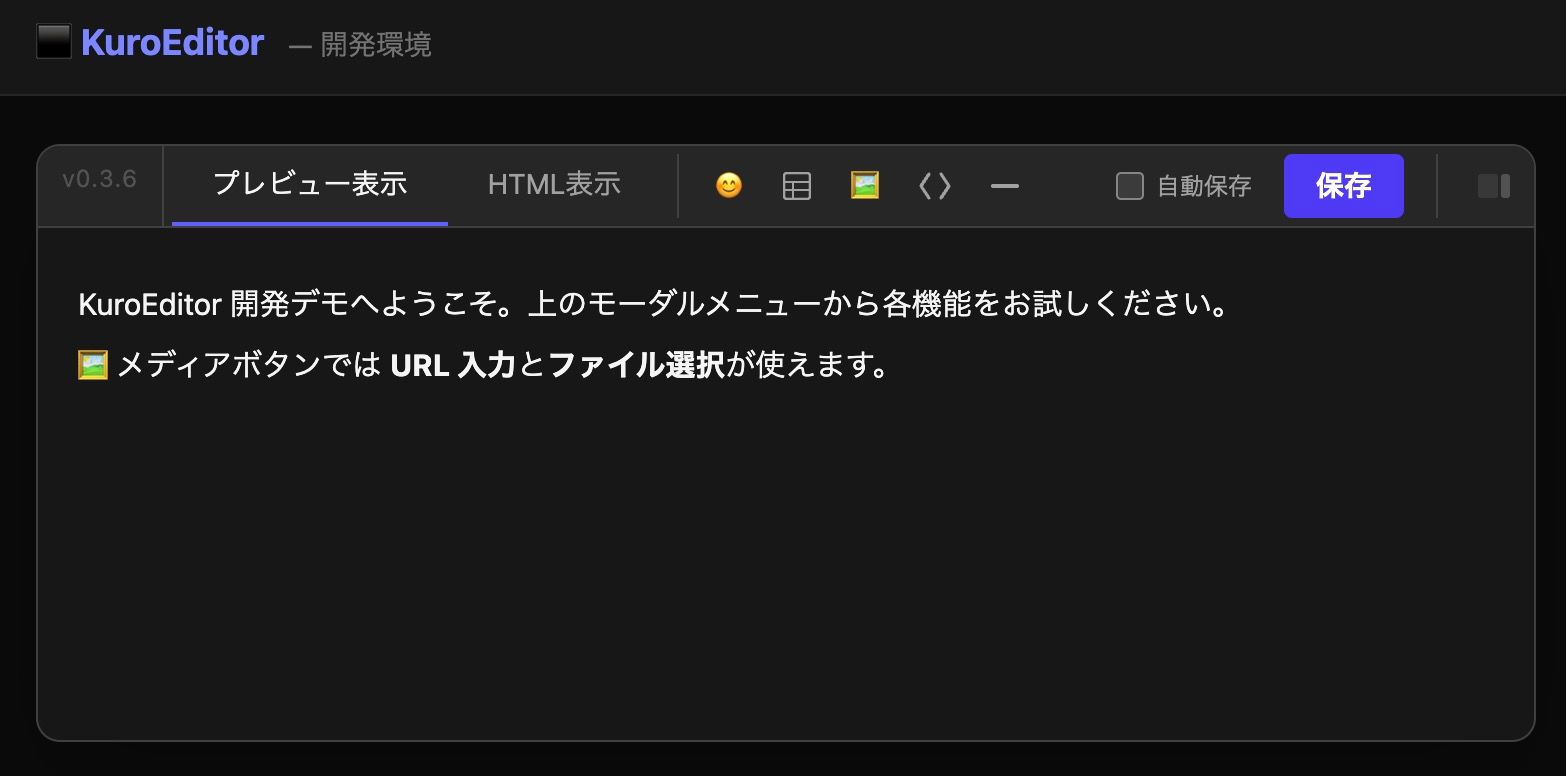 As shown, KuroEditor has two types of views in the Top menu: preview and HTML. However, I expect most won't use the HTML view. It's intended for those who want to write features not yet in KuroEditor using HTML, or for those who want to check internal behavior via HTML.
Next are icons for emojis, table creation, media, code, horizontal lines, autosave, save, and table of contents. Basic media can be freely pasted at the cursor position using drag-and-drop, so this button is rarely used.
Basic Text Decoration
Decorations for text and the cursor line appear whenever even a single character is selected. This follows the policy of not wanting to display menus constantly. It also aims to minimize mouse movement distance.
 From left: Bold, Italic, Underline, Strikethrough. Next are h1, h2, etc., for heading settings. Then come the quote bar and notice block. Following those are text color, font size, line height, text alignment (left, center, right, justify), bulleted lists, and numbered lists. (By the way, pressing the Tab key automatically creates a paragraph.) *Font types can also be selected in newer versions.
Tables are the Top Priority
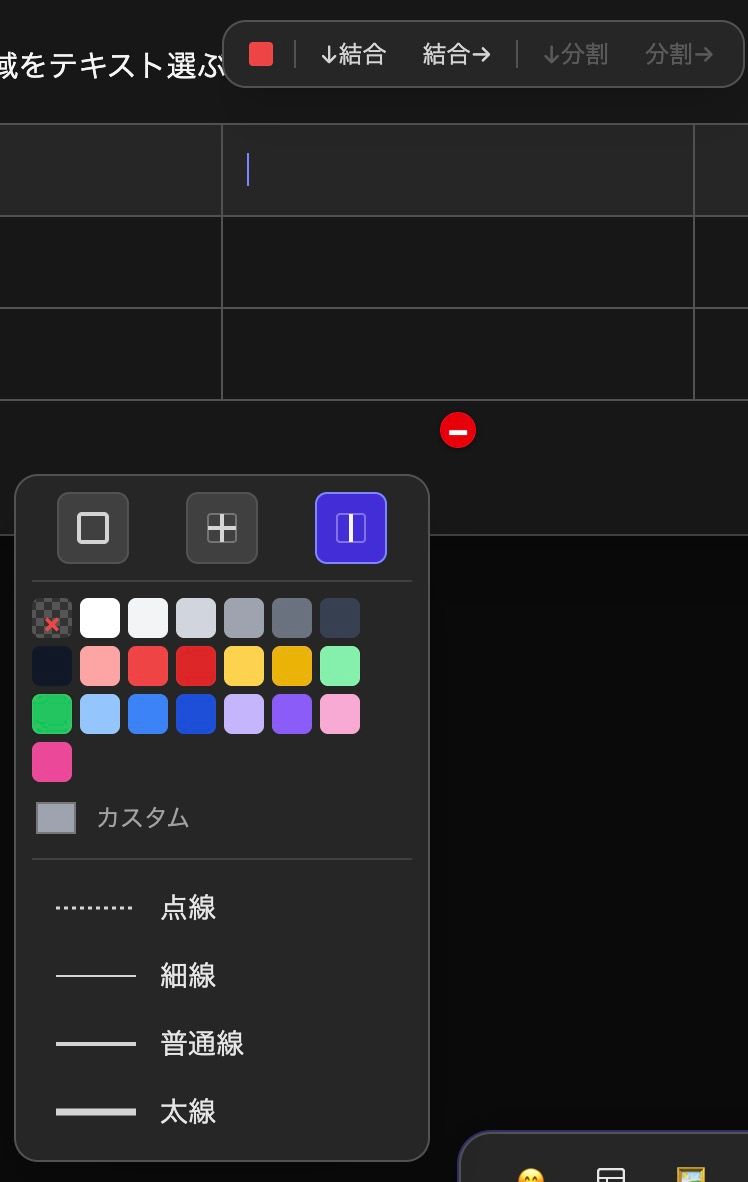
The table feature is the standout point of KuroEditor. Inserting rows or columns is similar to Dropbox Paper: when the mouse cursor is near a border, a '+' button appears next to it. Clicking that inserts a row or column. Deletion is done with the red '-' button to the right of a row or below a column. It's incredibly easy to manipulate tables. Merging and splitting cells is also a single button away. You can even choose border thickness. Moving the mouse near a border also brings up border buttons to the right or bottom, which show a menu for fine-tuning thickness and color.
Flexible Media Placement
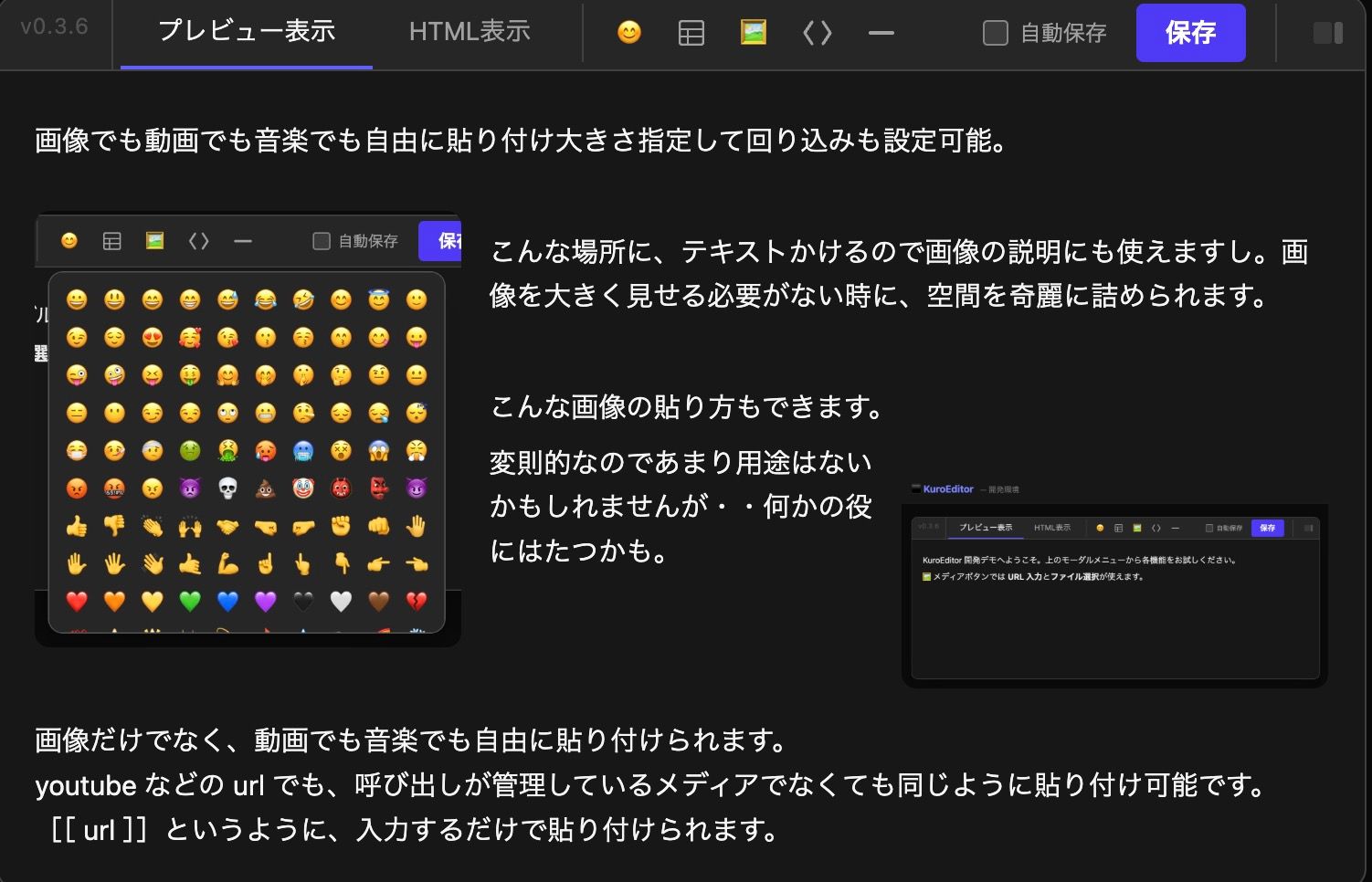
Media pasting is completely flexible. It's not just for images stored by the caller; you can easily create song rankings using YouTube links or lists of interesting videos. If you want to input a URL from the keyboard, typing [[ url ]] will immediately trigger auto-expansion.
Using the Table of Contents
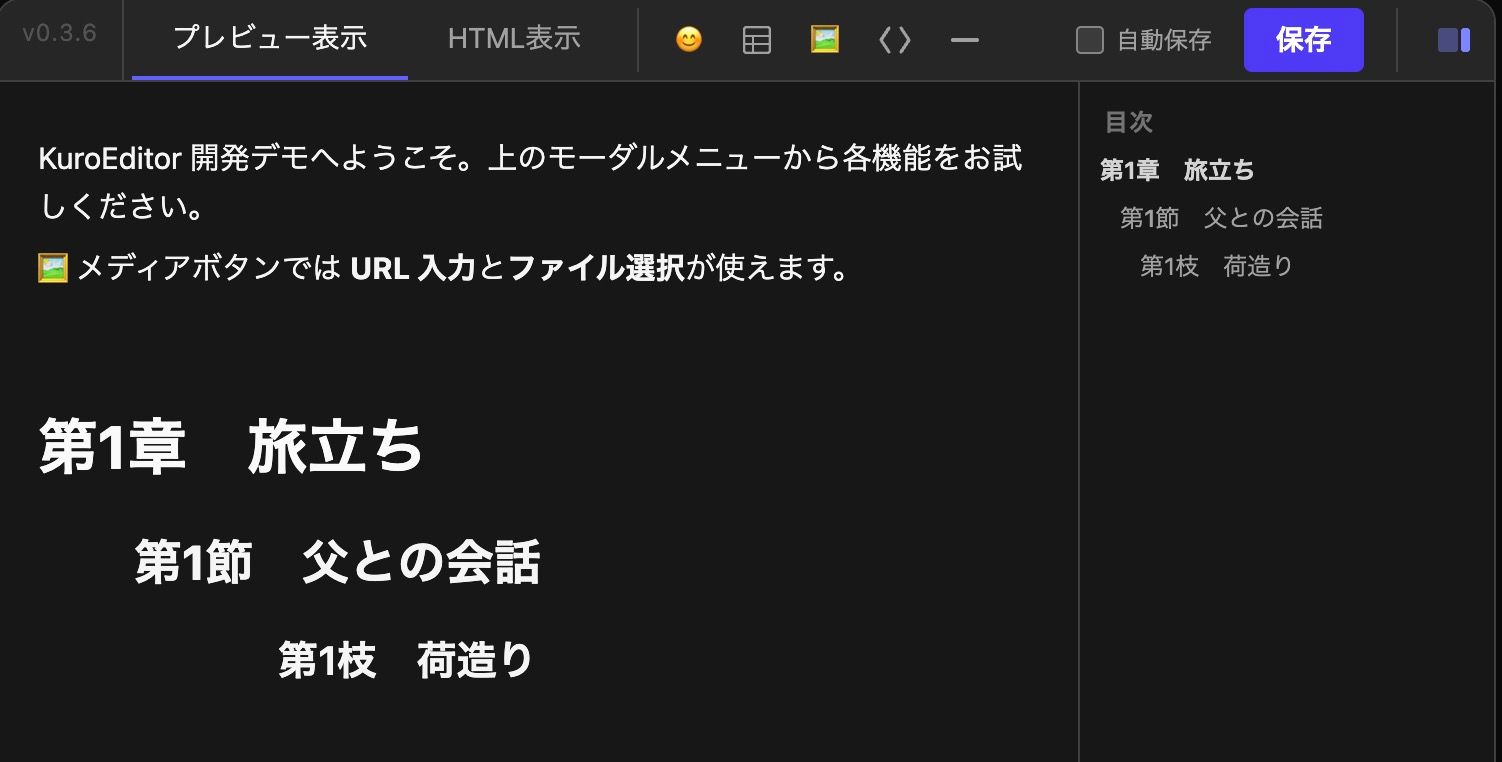
Paragraph management for things like novels or contracts is easy using h1, h2, etc. By using the table of contents in the top menu, you can see at a glance how far you've typed, even in long documents.
Overview of Integration
Finally, integration is incredibly simple. Just insert one line where you want the editor and prepare callback functions for things like saving. It's passed as HTML. In KuroCMS, this received HTML is stored and managed as article data. For more details, please refer to the link below. Since there are very few coupling points, it can be easily integrated into any tool.
Closing
Japanese people really love table representations (just as Japanese houses love partitions! lol). However, few foreign editors have decent implementations. Even if they do, they are often difficult to use and lack visual customization. I'm especially puzzled why things like cell merging are so rare. Regardless, I hope KuroEditor proves useful, even if only to a few people.
- GitHub Code Repository: https://github.com/Kuro-Boo/KuroEditor
- KuroEditor Introduction Page: https://kuro.boo/kuroeditor/
- KuroEditor Test Page: https://kuro.boo/kuroeditor/sample/