The Era of AI Image Generation: Tips, Features, and Comparisons
An era where anyone can be a creator. We explain key tips for AI image generation and compare local models like Stable Diffusion 3.5 and Flux.
A New Era of Image Generation AI: Incredible Power and Its Inner Workings
Since Large Language Models (LLMs) began entering the mainstream around 2024, image generation AI has also evolved rapidly. Just a few years ago, AI-generated images carried an unnatural feel, often misrepresenting human limbs and displaying garbled text. Today, the landscape is entirely different. AI has crossed the "uncanny valley" to produce photorealistic textures and detailed illustrations in seconds that used to take artists weeks to paint.
With the rise of cloud services like OpenAI's DALL-E 3, Google's Gemini, and Discord-based Midjourney, anyone can generate professional-grade visuals using prompts. However, behind these cloud services, a major trend capturing the interest of creators and engineers is the shift toward "local environments" using open-weight models.
The Return of Local Image Generation AI: Why Run It at Home?
Generating images via ChatGPT or Gemini is convenient with just a smartphone. However, power users face several constraints with cloud platforms. Strict content filters sometimes block valid artistic expressions. In addition, monthly subscription fees, usage limits, and privacy concerns regarding prompts and generated data being stored for model training pose challenges.
Running AI locally on your own PC offers immense freedom and benefits. First, it is highly cost-effective. Once you invest in a PC with a high-performance GPU, generating thousands of images costs only the electricity. This brings the freedom to run multiple iterations (gachas) to find the perfect image without worrying about extra costs.
Second, it offers customizability. Technologies like LoRA (Low-Rank Adaptation) allow users to train the AI on specific styles, characters, or fashion designs, expanding a creator's unique artistic voice in ways general cloud models cannot.
Third, it provides absolute privacy. Operating offline keeps sensitive business designs and personal creations completely under your control. Because of these benefits, creators continue to seek local image generation.
Here, we provide tips for prompts and compare the famous Stable Diffusion 3.5 and Flux 2 with side-by-side examples.
Evolution from Diffusion Models to Flow Matching
Let's touch briefly on the technical side. Traditional image AI relied on "Latent Diffusion Models," which generate images by reversing a process of adding noise. Stable Diffusion 1.5 and SDXL popularized this approach.
However, the new Flux model uses "Flow Matching." This method mathematically defines the transition from noise to image more directly, achieving higher quality with fewer steps than traditional diffusion. Furthermore, the model uses a Transformer architecture—the same structure underlying LLMs like ChatGPT. This allows it to calculate pixel relationships precisely, giving Flux its exceptional ability to follow complex prompts.
Flux 2: High Consistency and Architectural Innovations
Flux was developed by Black Forest Labs, a team formed by key engineers who formerly led Stable Diffusion. Rebuilt from the ground up, the model immediately impressed the AI community, with many noting its quality rivaled or exceeded Midjourney.
Flux's main feature is its large 12-billion parameter size, allowing it to understand word relationships in prompts similarly to human reading. This dramatically improves prompt adherence.
It also offers high consistency in areas where older AI models struggled, such as rendering hands, feet, and joints correctly. Its text rendering is another major upgrade; it can write specific words accurately while matching the style of the font, making it highly useful for logo and packaging design prototypes.
Stable Diffusion 3.5: Community Support and Versatility
In response, Stable Diffusion 3.5 (SD3.5) represents the next iteration from Stability AI. Following feedback on the initial release of SD3, the "3.5" series was updated to deliver improved performance.
SD3.5's strength lies in its multiple model sizes and established community ecosystem. Rather than a single large model, Stability AI released three versions to match different hardware specs: the 26-billion parameter "Large," the "Medium" model optimized for lower VRAM, and "Large-Turbo" designed for quick generation.
Visually, while Flux focuses on precise realism, SD3.5 leans toward organic, painterly textures, capturing lighting, lens flares, and expressive faces beautifully. It also integrates well with community tools like ControlNet (for pose control) and IP-Adapter (for image references), making it easy to fit into professional pipelines.
Quick Tips for Writing Prompts
While Stable Diffusion has a 77-token limit and Flux does not, several core principles for writing prompts apply to both:
- AI has a limit to the density of information it can process. Even if long prompts are supported, adding too many words dilutes the focus on key subjects. We recommend focusing on the most important elements in English (using Japanese often lowers output quality).
- Use clear phrasing, using commas and line breaks. Avoid repeating synonyms to keep the prompt focused.
Note: The same prompt will rarely generate the exact same image twice. Image generation involves a degree of randomness. It is often more effective to generate multiple versions and select the best one, rather than focusing solely on prompt tweaking.
Test Case: A Female Knight Riding through a Midnight Forest
Let's compare these two models using a complex test prompt designed to challenge the AI:
"female knight riding a horse through a midnight forest, full body action pose, the forest opens into a clearing, an illuminated ancient castle in the distance, an eerie glowing moon in the sky, several wolves running beside the horse, wet ground and puddles, moon reflection in the puddles, cinematic fantasy scene, moody lighting, high detail, no text, no letters"
This prompt features multiple complex elements: a female knight, a horse, a forest, a castle, the moon, wolves, and puddles with reflections. A key test is whether the AI can render the wolves running alongside the horse and the moon's reflection in the wet ground.
【Flux 2 Test Results】
We tested the lightweight "4b" and full "9b" versions of Flux 2.
■ Flux 2 [4b Model]
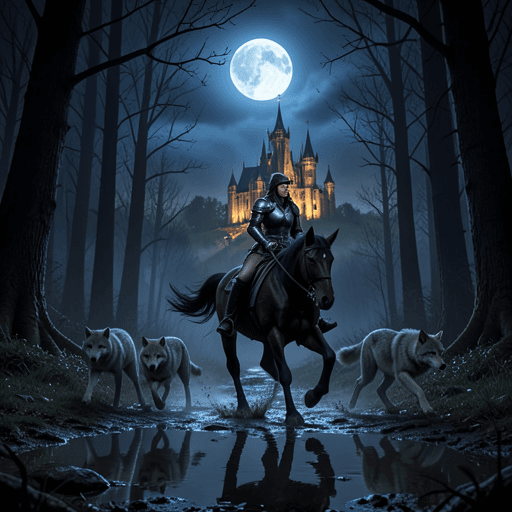 Despite its smaller parameter count, the 4b model arranges the elements of the prompt in a well-balanced composition. The rendering of the puddles is excellent, accurately capturing the reflection of the moon. The metallic shine of the knight's armor is clean, and the wolves run alongside the horse at a natural distance. This high level of detail in a compact model highlights the benefits of Flow Matching.
■ Flux 2 [9b Model]
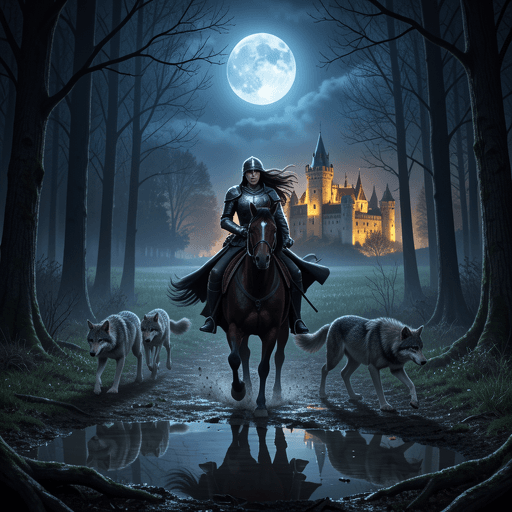
The 9b model steps up the resolution significantly, capturing individual trees, the horse's muscles, and the movement of the knight's hair. The moody lighting is rendered beautifully, creating a strong contrast between the moonlight and the surrounding forest. The distant castle features realistic stone textures, and the dynamic composition gives the scene a sense of motion.
【Stable Diffusion 3.5 Test Results】
Next, we compared the three versions of Stable Diffusion 3.5.
■ SD 3.5 Medium
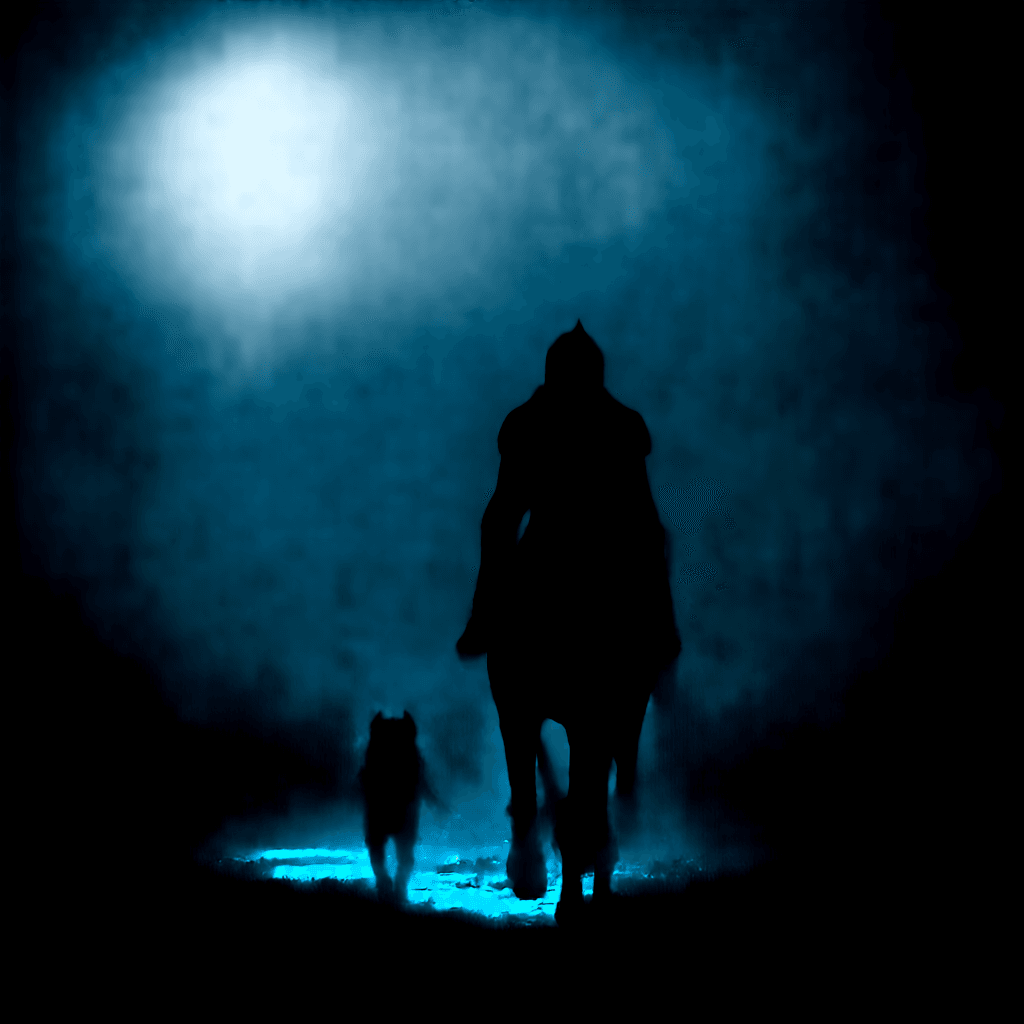 The Medium model stands out for its generation speed. Its visual style is slightly painterly, which fits fantasy themes well. While the wolves are somewhat simplified, the overall color palette and lighting are gorgeous. This model is ideal for quickly exploring ideas and runs smoothly on mid-range PCs with 8GB of VRAM.
■ SD 3.5 Large
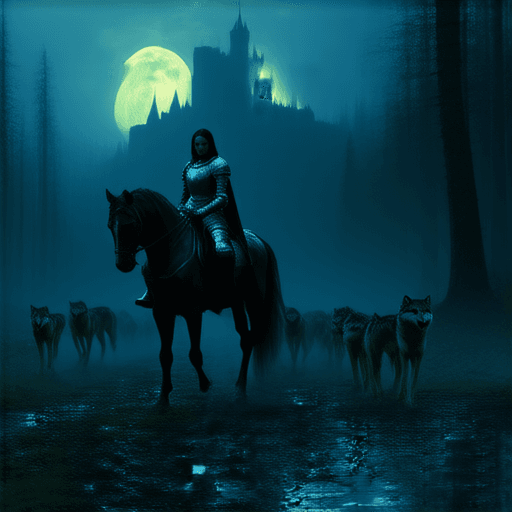 The Large model delivers detailed rendering comparable to Flux 9b. It excels at creating atmosphere, capturing the misty forest air and the hazy distance of the castle. The knight's armor features intricate designs, providing an excellent base image for creators to build upon.
■ SD 3.5 Large-Turbo
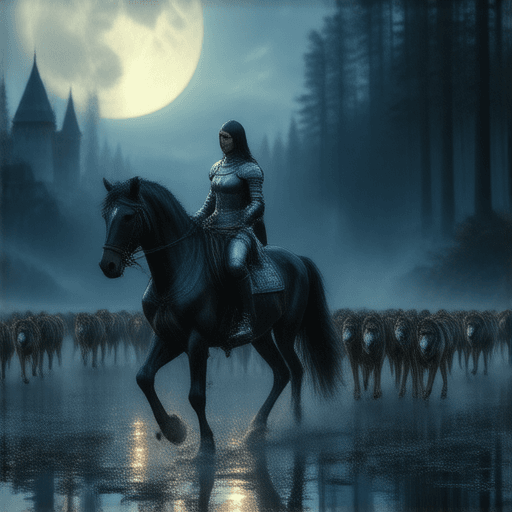 The Large-Turbo model is designed for high-speed generation. Unlike older fast models that compromised on quality, Large-Turbo maintains high detail, closely matching the standard Large model. This allows creators to iterate rapidly during brainstorming sessions, generating high-quality images in seconds.
Analysis: Interpreting Fantasy Motifs
The "female knight" is a classic fantasy archetype. The AI synthesizes its learned data of armor and horses, placing them within the lighting of a midnight forest. A key achievement here is the simulation of physical properties—how the moonlight reflects off the metallic armor and onto the wet ground.
Flux's accuracy shows that image AI is evolving into a rendering engine that understands 3D space. On the other hand, SD3.5's painterly approach captures mood and artistic qualities effectively. This highlights the contrast between the precision of Flux and the expressive styling of SD3.5.
Will AI Replace or Enhance Creativity?
Using these models reveals that AI is not simply replacing human work, but rather acting as a tool to accelerate imagination. Visualizing a complex fantasy scene previously required years of drawing practice and expensive equipment. Now, with clear prompts, anyone can bring their ideas to life.
Running image generation locally feels like a form of digital alchemy—typing in prompts late at night and watching new worlds take shape on screen. It offers a deep sense of creative satisfaction at a minimal energy cost. We are entering an era where visual expression is becoming accessible to all.
Conclusion: Choosing the Right Tool
Both models offer distinct advantages.
If you need high precision, close adherence to detailed prompts, and clean text rendering, Flux is the ideal choice. It is well-suited for design work and detailed illustrations.
If you prefer to experiment with community-created LoRAs, seek painterly styles, and want custom styling, Stable Diffusion 3.5 is the perfect partner. Its versatility and community support offer extensive options for creative projects.
Ultimately, the value lies not just in the tool, but in what you choose to express with it. We invite you to explore the capabilities of Flux and SD3.5 to bring your ideas to life.
【Sources】
- Black Forest Labs - Flux.1 Official Site
- Stability AI - Stable Diffusion 3.5 Release Announcement
- ComfyUI Examples - High-Performance Local Execution